Infographic video maker
Give your figures and the story they tell: ClipOnIt stages them with giant numbers, bars and lists that animate at the pace of the voice.
Free: 3 videos a month with a watermark · 24 visual styles, plus your own
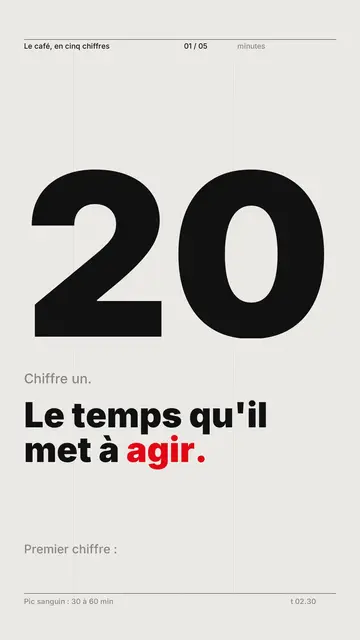
One data point, one scene
A static infographic shows everything at once; an animated one shows one data point at a time, in the order people understand it. ClipOnIt builds the video on that principle: each figure in your narration gets its own scene, and the number grows on screen as the voice says it.
Give sourced, rounded figures (“nearly a third” sticks better than 32.7%) and mention the source in the text. Swiss grid is the best style for data; Tech list fits rankings; Cutaway house helps when the numbers are about everyday life.
How to do it in 3 steps
- Write your figures
Three to five data points, with what they mean and the source.
- Pick the style
Swiss grid for data, Tech list for a top list, Cutaway house for everyday life.
- Check and export
Check every figure on screen, then render the MP4.
What people use it for
- Annual reportThe year's five key figures, in 40 seconds.
- Market studyWhat the data says about your sector.
- RankingA commented top 5 or top 10, from last to first.
- BudgetWhere the money of a household, a town or a project goes.
- ComparisonTwo countries, two offers, two eras, side by side.


Häufig gestellte Fragen
Format, voice, pricing: the short answers.
Can I import a spreadsheet?
Not directly: write the figures in your text. Three to five data points per video give the best result.
Are the charts accurate?
The values come from your text. Check every figure on screen before rendering and fix it in the script if needed.
Can I cite a source?
Yes, put it in the narration; it shows up in the captions. Some news styles also display a credit on screen.
What about LinkedIn?
The vertical MP4 can be posted on LinkedIn, where it takes the full feed height on mobile.
Ist es kostenlos?
Yes, to start: the free plan gives 3 videos a month with a ClipOnIt watermark, in 8 styles (Pixel News, Press paper, Comedy cartoon, Class sketch, Night tale, Social screen, Retro synthwave, Flat vector), no credit card. Starter ($29/month): 15 watermark-free videos, all 24 styles plus your own, your own voice and the AI Director. Pro $49: 30 videos. Business $149: 100 videos and 3 seats.
Other ways to make a video
- Explainer video maker
- Animated explainer video
- Text to video animation
- Whiteboard video maker
- AI motion design
- Audio to animated video
- Educational video maker
- SaaS product video
- Faceless video maker
- Script to video
- TikTok explainer video
- News video maker
- Animated story video
- Explainer videos for business
- All tools
Your video, in this style
Write one sentence: the style is already picked when you reach the editor.