Stop-motion explainer video — Felt kitchen style
Make a stop-motion explainer in a wool and felt kitchen: a chef and an apprentice act out the idea, with a felt gauge and a “The bill” ticket on cue.
Enthalten ab Starter, mit allen 81 Stilen plus deinen eigenen · Vorschau gerendert von der ClipOnIt-Engine
So sieht dieser Stil aus
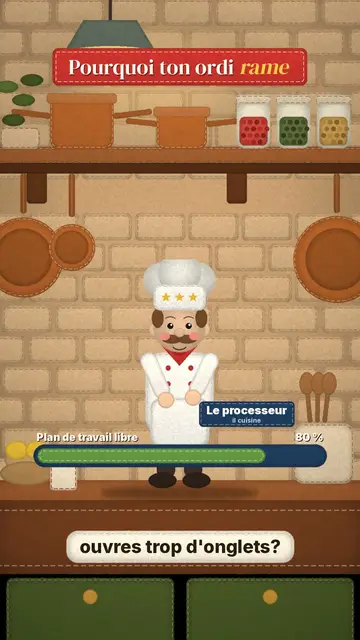
Felt kitchen builds everything out of wool and felt, like a small frame-by-frame animated film. The set is a warm retro kitchen, with soft textures and visible stitching. Two wool puppets act out your explanation: a chef who works and an apprentice who runs to bring what is needed. Each can wear a label with their role, for example “the processor” and “the RAM”, to turn an abstract idea into a kitchen scene.
The title shows on a felt sign at the top, with one word in yellow italics. A felt gauge drains or fills on the spoken word, cards, a map, a funnel, an envelope or a “The bill” ticket fly through the scene, and captions run on a stitched cream label. The result is soft and funny, ideal for explaining a mechanism without jargon.
Passende Themen
Avoid: topics that need many precise figures, maps or curves: the gauge is enough for an order of magnitude. Also avoid grave topics; felt always gives a tender tone.
- Computer conceptsProcessor, memory, cache: the chef and apprentice metaphor makes each role obvious.
- Everyday mechanismsA queue, a budget, a delivery play out well in a kitchen.
- Videos for kids and familiesWool and felt feel reassuring and catch the eye without anything harsh.
- Money and billsThe “The bill” ticket arriving on the word shows what it costs.
Videoideen in diesem Stil
- RAM vs storage
The processor chef, the RAM apprentice, the worktop filling up and the gauge draining.
- Why your computer lags with too many tabs
Cards piling up, the overwhelmed apprentice and the “lags” sign in yellow.
- How cache works
The apprentice keeping ingredients at hand and the chef going faster.
- What a subscription really costs
The budget gauge, the month's envelope and the final “The bill” ticket.
In 1 Klick verfügbar
- Link dieses Stils öffnen
Der Button „Video in diesem Stil erstellen“ öffnet den Editor mit diesem bereits ausgewählten Stil. Ohne Konto dauert die Anmeldung eine Minute und braucht keine Karte.
- Schreibe dein Thema in einem Satz
Eine Idee reicht. Du kannst auch deinen Text einfügen oder ab Starter ins Mikrofon sprechen: Das Video baut dann auf deiner Stimme auf.
- Prüfen, dann rendern
Die KI schreibt die Szenen, wählt die Elemente des Stils aus und taktet sie passend zu den Worten, mit Stimme und Untertiteln. Du korrigierst, was nicht stimmt, dann ist das vertikale MP4 in wenigen Minuten da.
Was du anpassen kannst
For each scene you pick the title sign and its colour, one or two puppets (chef or apprentice) with their label, small line and gesture, the gauge (label, start and end value, word) and up to three props: cards, map, funnel, bill, envelope, comment, banner, bricks or element.
Häufig gestellte Fragen
Kostenlos oder nicht, Ausgabe, Nutzung: die kurzen Antworten.
Is it real stop-motion?
No, the engine draws everything, but with wool textures and the slight jitter of stop-motion. No real camera or puppet.
Kann ich meine eigene Stimme verwenden?
Yes. Record yourself or import your audio: the puppets move and the gauge changes on your words.
How is it different from Clay mascot?
Clay mascot follows a list of steps with a mascot plugged in by cables. Felt kitchen plays out a metaphor with two wool puppets in a kitchen.
Ist dieser Stil im kostenlosen Tarif enthalten?
Nein, es ist im Starter enthalten ($29/Monat): 15 Videos ohne Wasserzeichen pro Monat, alle 81 Stile plus deine eigenen. Der kostenlose Plan bietet 3 Videos pro Monat mit Wasserzeichen in 8 anderen Stilen: Pixel News, Press paper, Comedy cartoon, Class sketch, Night tale, Social screen, Retro synthwave und Flat vector.
Wenn dir dieser Stil gefällt
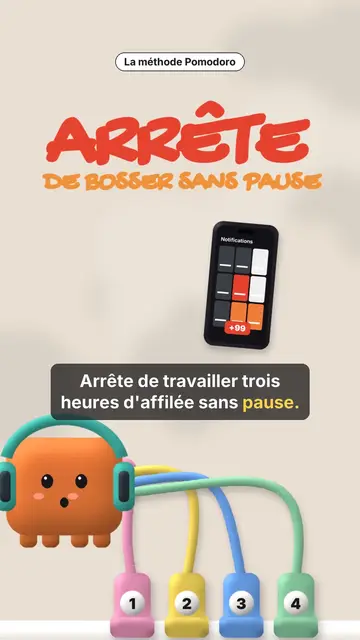
Clay 3D step-by-step video
Clay mascot style · A clay cube mascot plugged by cables into numbered sockets, one per step.
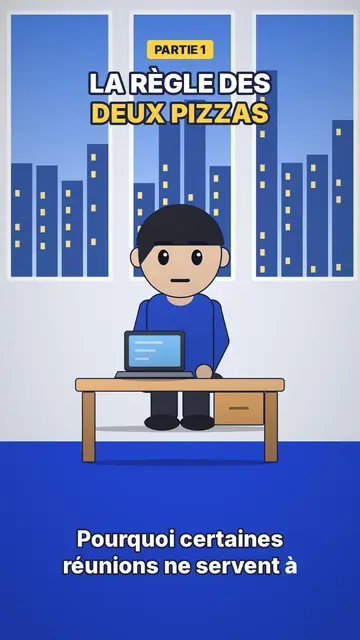
Office-Cartoon-Animationsvideo
Office-Toon-Stil · Großköpfige Toon-Figuren im Büro oder in der Küche.
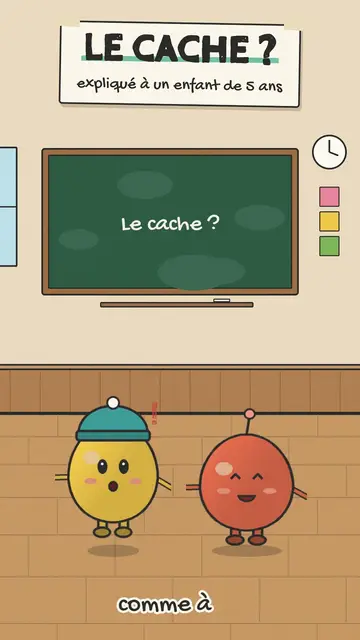
Explain like I'm 5 video
Mascots and sign style · Small round mascots hopping on beige paper, a taped sign and a chalkboard.
Deine Idee in diesem Stil
Schreib einen Satz oder sprich ihn ein: Der Stil ist schon ausgewählt, wenn du im Editor ankommst.