UI motion design explainer video — Clean interface style
Make a UI motion design explainer video: clean windows, buttons and a clicking cursor on a light background, synced to the voice. Built for AI and tech.
Enthalten ab Starter, mit allen 26 Stilen plus deinen eigenen · Vorschau gerendert von der ClipOnIt-Engine
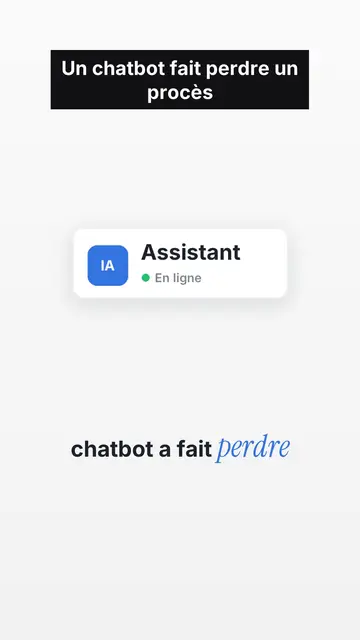
So sieht dieser Stil aus
Clean interface tells a story as if it were happening inside a computer. On off-white paper with a fine dot grid, operating-system style interface cards appear one by one: an email window with its recipient, an identity badge with its status dot, a big green button, a toggle switch, a dark monitor whose number drops, person icons that light up when their name is spoken. Each card enters exactly on the word that names it, with a small bounce.
A named cursor slides toward the button and clicks on the exact word, which builds suspense. Under the illustration, the caption turns from grey to black as the voice moves on, and the key word is set in blue italic serif. Tilted stamps (“DENIED”, “IGNORED”) hit the screen, keywords sometimes fill the whole frame, and a pause on a charcoal background marks the twist before the end card, which gets clicked too.
Passende Themen
Avoid: very visual topics carried by landscapes, crowds or action scenes: the style shows screens, buttons and icons, not settings. Also avoid long lists of numbers without a story; a card should always say what is happening.
- AI and techA chatbot, a server or an app becomes a badge with its status: the story reads in its native language, the interface.
- True digital storiesFamous bugs, leaks, scams: emails, clicks and counters show what happened, step by step.
- Product demos and adsThe clicking cursor and the end card with its button make a clean demo, without a screen recording.
- Faceless channelsLight background, crisp type and recognisable cards give a series an identity without a face on screen.
Videoideen in diesem Stil
- The chatbot that lost a lawsuit
The chat window, the reply turning black word by word, the DENIED stamp, then the verdict on black.
- $440M lost in 45 minutes
Eight servers in a grid, a switch that turns itself back on, a counter that runs wild.
- How a fake bank advisor scam works
The text message, the link, the “Confirm” button the cursor avoids, and the habit to keep.
- Your app explained in 40 seconds
The problem as a red badge, your feature as a window, the click that fixes it and the end card.
In 1 Klick verfügbar
- Link dieses Stils öffnen
Der Button „Video in diesem Stil erstellen“ öffnet den Editor mit diesem bereits ausgewählten Stil. Ohne Konto dauert die Anmeldung eine Minute und braucht keine Karte.
- Schreibe dein Thema in einem Satz
Eine Idee reicht. Du kannst auch deinen Text einfügen oder ab Starter ins Mikrofon sprechen: Das Video baut dann auf deiner Stimme auf.
- Prüfen, dann rendern
Die KI schreibt die Szenen, wählt die Elemente des Stils aus und taktet sie passend zu den Worten, mit Stimme und Untertiteln. Du korrigierst, was nicht stimmt, dann ist das vertikale MP4 in wenigen Minuten da.
Was du anpassen kannst
For each scene you pick one to three cards out of fifteen (window, badge, button, toggle, monitor, list, grid, gauge, number, calendar, clock, arrow, people, quote or a library element), the word where each one appears and the one where the cursor clicks. You add a stamp, an alert pill or a “danger” background, and change the accent colour to match your brand. Your own voice works too: everything locks onto the spoken words.
In diesem Stil gezeichnet
9 517 Elemente in seiner Bibliothek, durchsuchbar nach Bedeutung. Einige davon:
 Figuren
 Geräte
 Dokumente & Orte
 Daten
 Kulissen
 Oberflächen
 Wissenschaft
 Aktionen
Häufig gestellte Fragen
Kostenlos oder nicht, Ausgabe, Nutzung: die kurzen Antworten.
What is UI motion design?
An animation that tells a story with interface elements: windows, buttons, cursors, notifications. Here the engine draws them and animates them to the voice, without screen recordings.
Kann ich meine eigene Stimme verwenden?
Yes. Record yourself or import your audio: every card, every click and every caption word locks onto what you say.
Is there a version with my face?
The style is faceless. For a talking-head video in the same format (illustrations on top, you below), contact us: it is an editing recipe from our studio.
Ist dieser Stil im kostenlosen Tarif enthalten?
Nein, es ist im Starter enthalten ($29/Monat): 15 Videos ohne Wasserzeichen pro Monat, alle 26 Stile plus deine eigenen. Der kostenlose Plan bietet 3 Videos pro Monat mit Wasserzeichen in 8 anderen Stilen: Pixel News, Press paper, Comedy cartoon, Class sketch, Night tale, Social screen, Retro synthwave und Flat vector.
Wenn dir dieser Stil gefällt
- Kostenlos
Social-Media-Erklärvideo
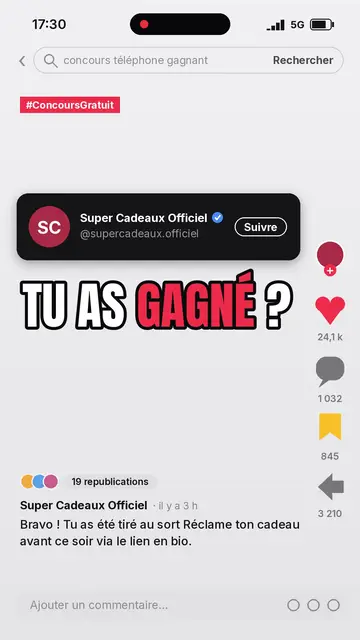
Social-Screen-Stil · Ein nachgebauter Social-Feed: Profil, Zähler, Kommentare.
Videoersteller für kinetische Typografie
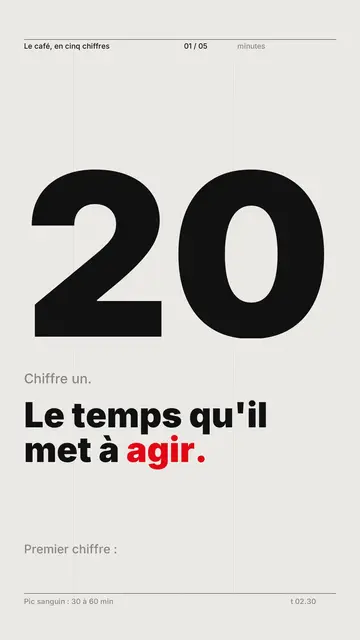
Swiss-Grid-Stil · Schweizer Typografie: helles Papier, strenges Raster, riesige Zahl, eine Signalfarbe.
Tech-Top-Listen-Video-Ersteller
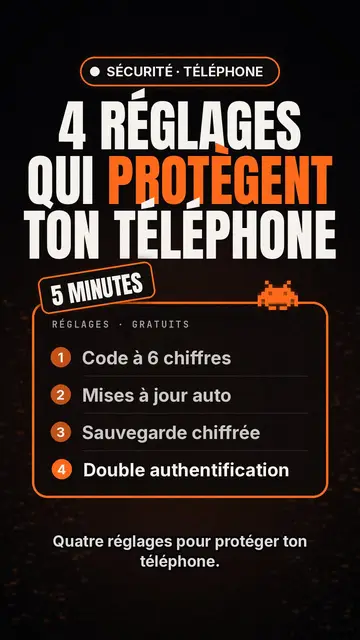
Tech-List-Stil · Tech-Karte auf Schwarz, leuchtendes Abzeichen, nummerierte Liste.
Deine Idee in diesem Stil
Schreib einen Satz oder sprich ihn ein: Der Stil ist schon ausgewählt, wenn du im Editor ankommst.