Versus comparison video — Arcade fighter style
Make a versus comparison like an arcade fighting game: two pixel robot boxers, health bars, FIGHT! and K.O.!, stat sheets and a high score table.
Enthalten ab Starter, mit allen 81 Stilen plus deinen eigenen · Vorschau gerendert von der ClipOnIt-Engine
So sieht dieser Stil aus
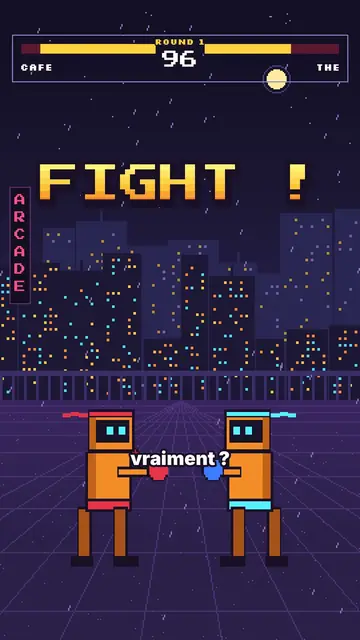
Arcade fighter turns your topic into a retro brawl. In a purple night street, in front of a pixel city under the rain, two orange robot boxers face each other. At the top, the arcade HUD shows their names, their health bars, the round number and the timer. “FIGHT!” bursts out in big yellow-orange pixel type, and when an argument wins, the opponent drops with a white flash and a “K.O.!”.
Between rounds, the game brings out all its screens: a rolling pixel counter, a “CONTINUE?” with its countdown, a grid select screen where the cursor picks a fighter, stat sheets popping on a striped background, a high score table. Scenes open with an iris, text pops, and a crowd of robots can flood the foreground when you need to show “a hundred versions”.
Passende Themen
Avoid: serious, sad or sensitive topics: the brawl tone and the K.O.s would make them feel wrong. Also avoid topics with no opposition or ranking; the style needs two sides or a score.
- “X vs Y” comparisonsTwo names in the HUD, one round per criterion and a K.O. for the winner: the format is built in.
- RankingsThe select screen and the high score table rank the options like in a game.
- Tech and AITwo models, two phones, two apps: stat sheets compare the key numbers.
- Gaming videosViewers recognise the arcade codes and stay to see who goes down.
Videoideen in diesem Stil
- Coffee vs tea
Both names in the HUD, a caffeine round, a sleep round and the final stat sheet.
- iPhone vs Android
Three rounds, a K.O. per criterion and the score table at the end.
- The best free editing tool
The grid select screen, the cursor picking and the winner's sheet.
- Why we give up on our resolutions
You vs laziness, the CONTINUE countdown and the number of days held.
In 1 Klick verfügbar
- Link dieses Stils öffnen
Der Button „Video in diesem Stil erstellen“ öffnet den Editor mit diesem bereits ausgewählten Stil. Ohne Konto dauert die Anmeldung eine Minute und braucht keine Karte.
- Schreibe dein Thema in einem Satz
Eine Idee reicht. Du kannst auch deinen Text einfügen oder ab Starter ins Mikrofon sprechen: Das Video baut dann auf deiner Stimme auf.
- Prüfen, dann rendern
Die KI schreibt die Szenen, wählt die Elemente des Stils aus und taktet sie passend zu den Worten, mit Stimme und Untertiteln. Du korrigierst, was nicht stimmt, dann ist das vertikale MP4 in wenigen Minuten da.
Was du anpassen kannst
For each scene you pick the shot (duel, solo, number, continue, select, sheet, scores or end), the big pixel announcement and its line below, the HUD names and round, which fighter falls and on which word, the crowd, the white flash and the word to comment.
Häufig gestellte Fragen
Kostenlos oder nicht, Ausgabe, Nutzung: die kurzen Antworten.
Do accents work in the pixel font?
Big pixel announcements are written without accents, like on an arcade cabinet. Captions keep the full spelling.
Kann ich meine eigene Stimme verwenden?
Yes. Record yourself or import your audio: hits, K.O.s and screens land on your words.
How is it different from Pixel RPG quest?
Pixel RPG quest tells a tutorial as a quest, with a checklist and inventory. Arcade fighter pits two sides against each other, round after round, until the K.O.
Ist dieser Stil im kostenlosen Tarif enthalten?
Nein, es ist im Starter enthalten ($29/Monat): 15 Videos ohne Wasserzeichen pro Monat, alle 81 Stile plus deine eigenen. Der kostenlose Plan bietet 3 Videos pro Monat mit Wasserzeichen in 8 anderen Stilen: Pixel News, Press paper, Comedy cartoon, Class sketch, Night tale, Social screen, Retro synthwave und Flat vector.
Wenn dir dieser Stil gefällt
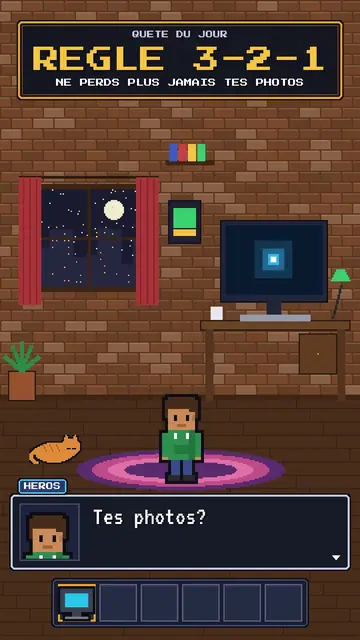
RPG-style tutorial video
Pixel RPG quest style · A tutorial played as a pixel art video game quest: checklist, dialogue box, inventory, spells.
- Kostenlos
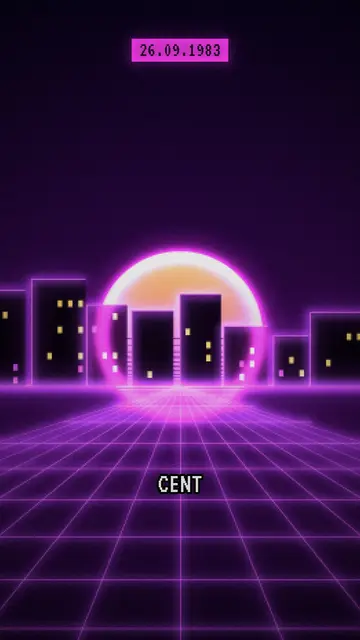
Synthwave-Videoersteller
Retro-Synthwave-Stil · Violett-magentafarbene Pixel-Art, gestreifte Sonne, Neongitter.
- Kostenlos
Pixel-Art-Erklärvideo-Ersteller
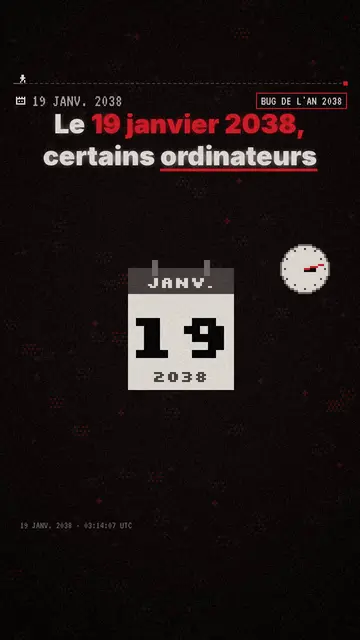
Pixel-News-Stil · Graurote Pixel-Art, datiertes HUD, Untertitel Wort für Wort.
Deine Idee in diesem Stil
Schreib einen Satz oder sprich ihn ein: Der Stil ist schon ausgewählt, wenn du im Editor ankommst.